

Our leaderboard displays bid activity for the items. Most people connect the system to a projector and display the information on a wall or TV screen.
You can access the leaderboard via the menu on the left-hand side of your manager account.
Click On Leaderboard
Once on the page, click on Show Options in the upper left-hand corner of the screen.

Various Options
We offer different options to fit your need.
You can choose to hide or show columns and can also change how the information is displayed.
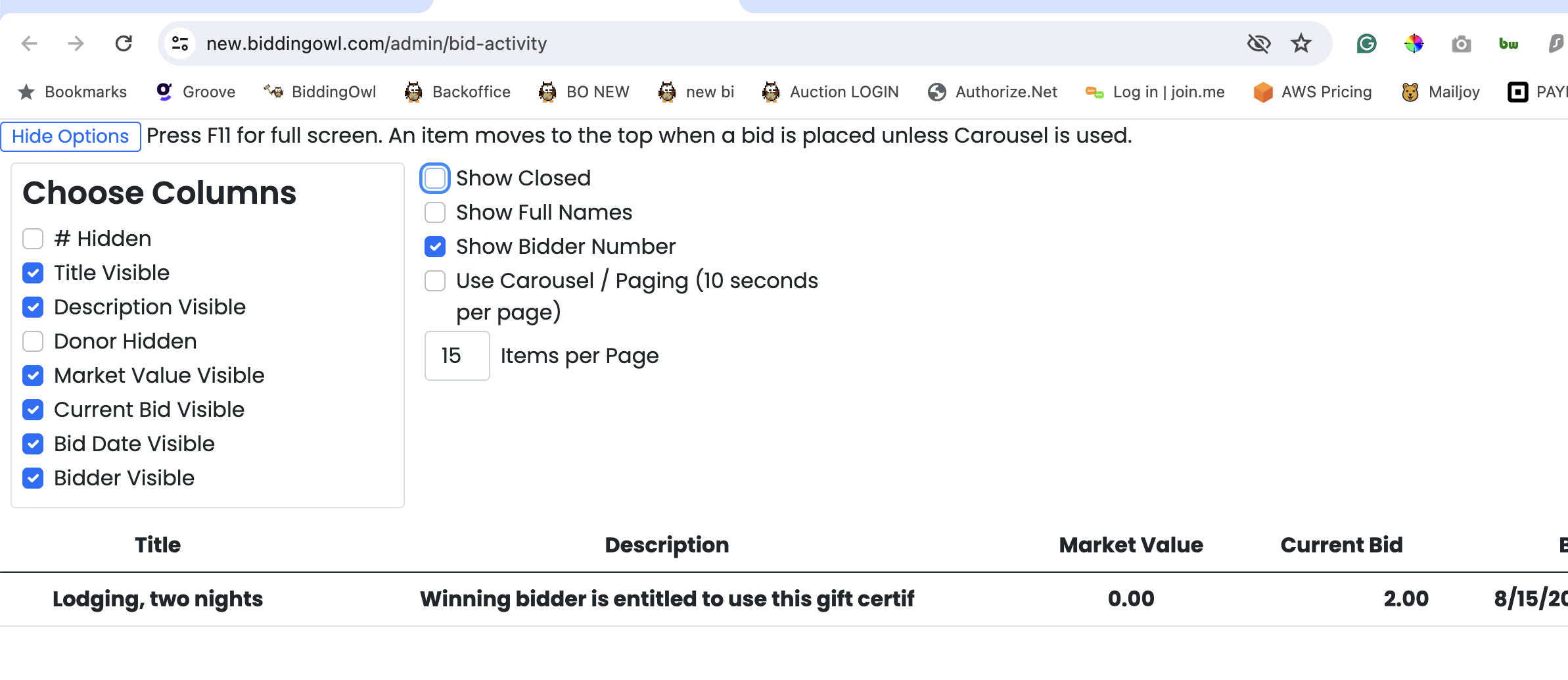
There are two general views:
Bid Activity:
This is on by default, and the most recent active item moves to the top of the list as soon as someone places a bid.
Carousell view:
This displays the items in a rotating manner. You can select how many items to display per page. Each page is visible for 10 seconds before showing the next set of pages. New bids will not move to the top of the list.
Additional View:
Featured Items [Item Management > Bid Activity]
To view specific items, go to Item Management > click on the checkboxes for the items you would like to feature > click Bid Activity from the menu above.