How may we help you?

Find answers to all your BiddingOwl questions. Step-by-step guides and tips

Connect to PayPal for Credit Card Processing

How to Guides

Connect to PayPal for Credit Card Processing

Integrating with PayPal is easy and done in just a few steps

Last updated on 27 Oct, 2025

Please know that you need to connect a business account. Personal PayPal accounts can not be connected. 


Follow these steps:

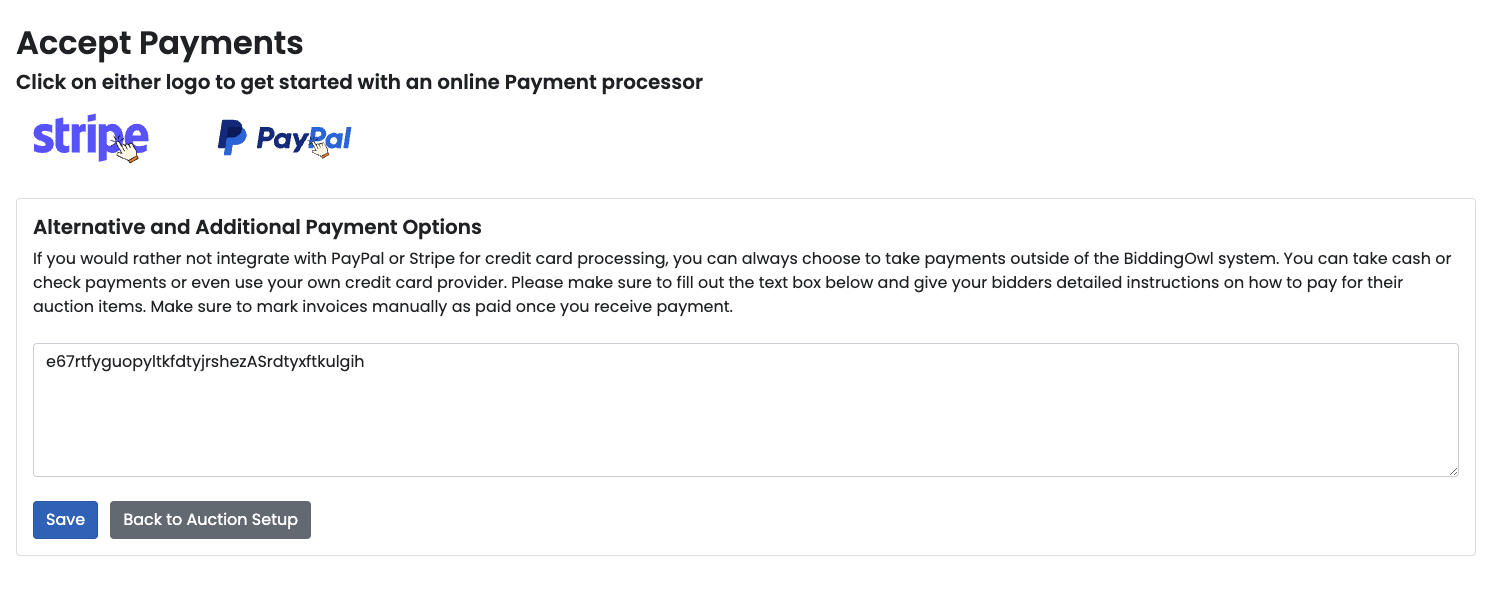
  • In your Dashboard, click on the Edit button in the Receive Funds box.

  • Click on the PayPal logo

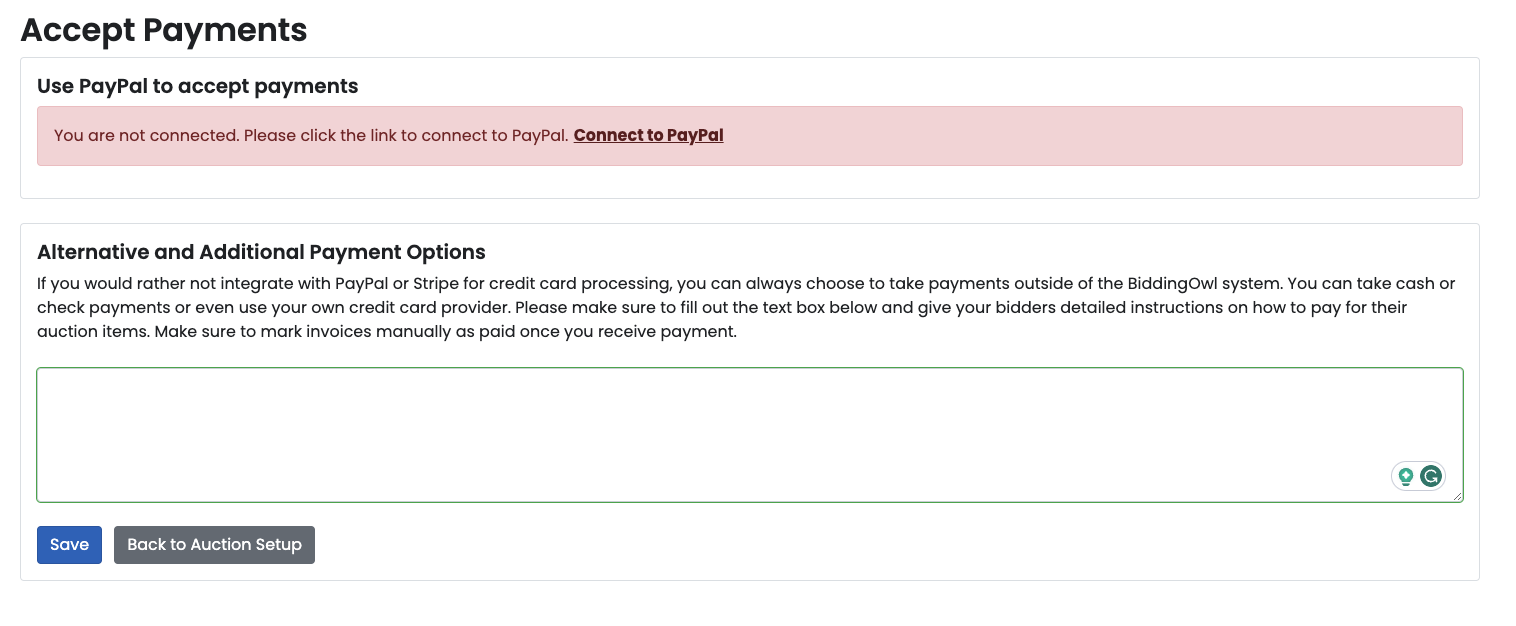
  • Click Connect to PayPal

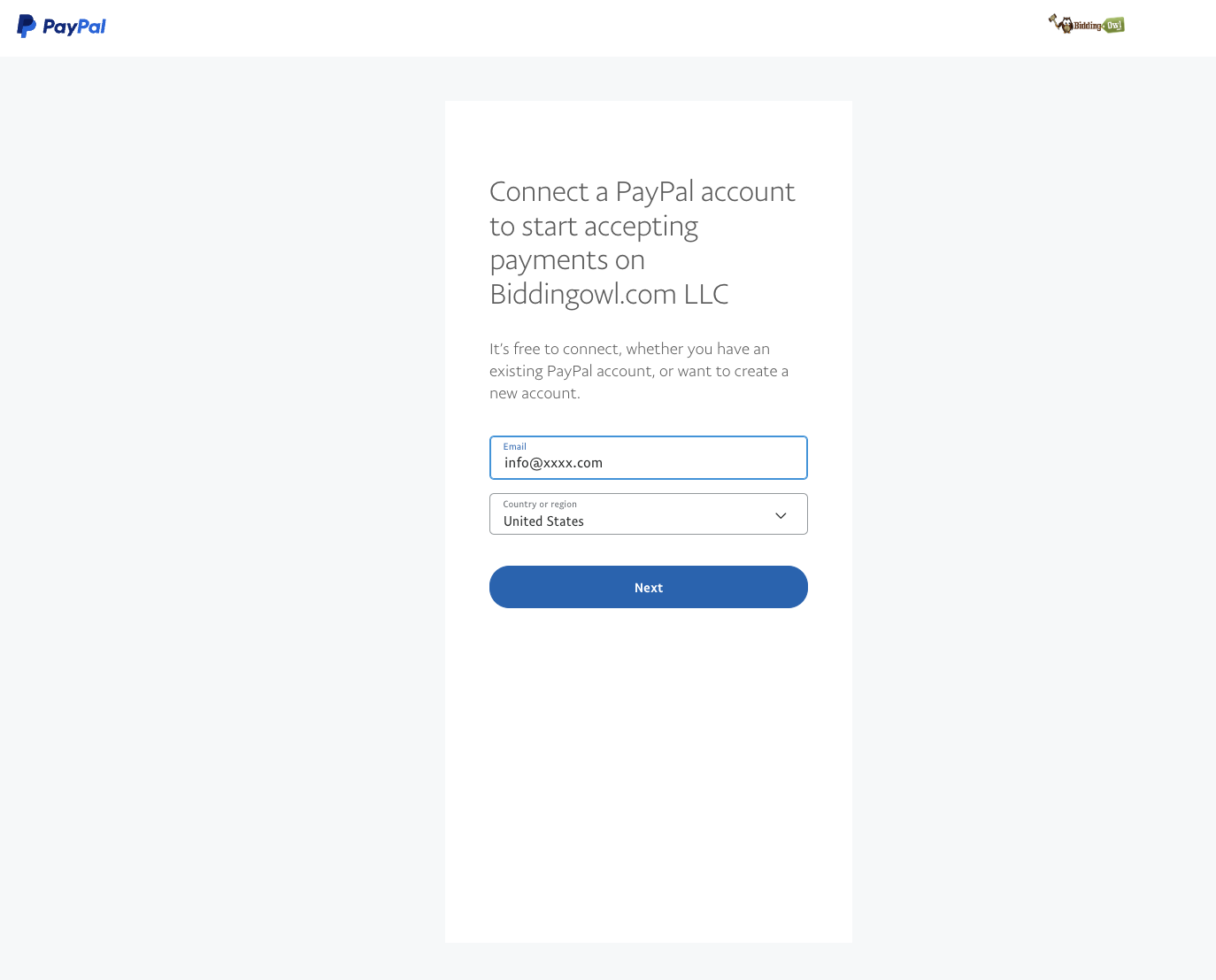
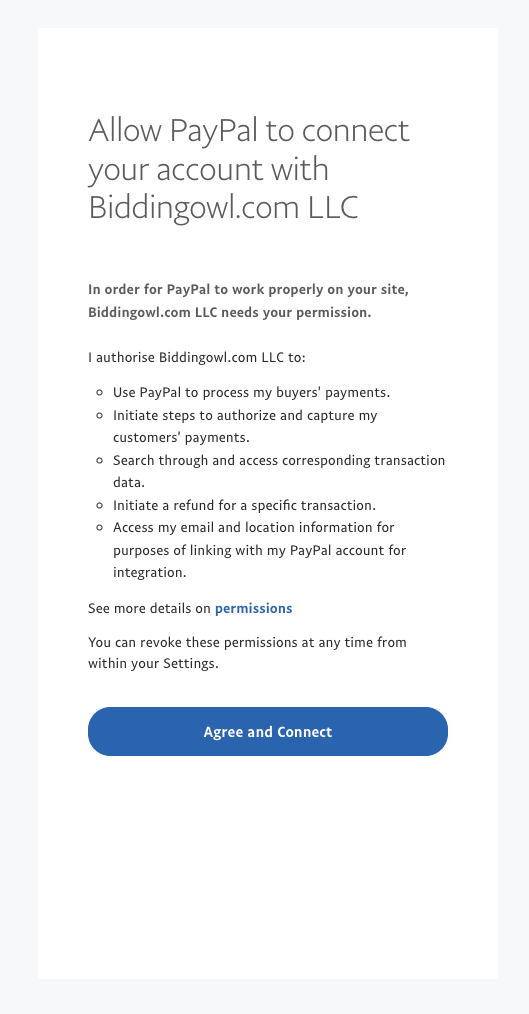
  • Log in to PayPal and follow the prompts

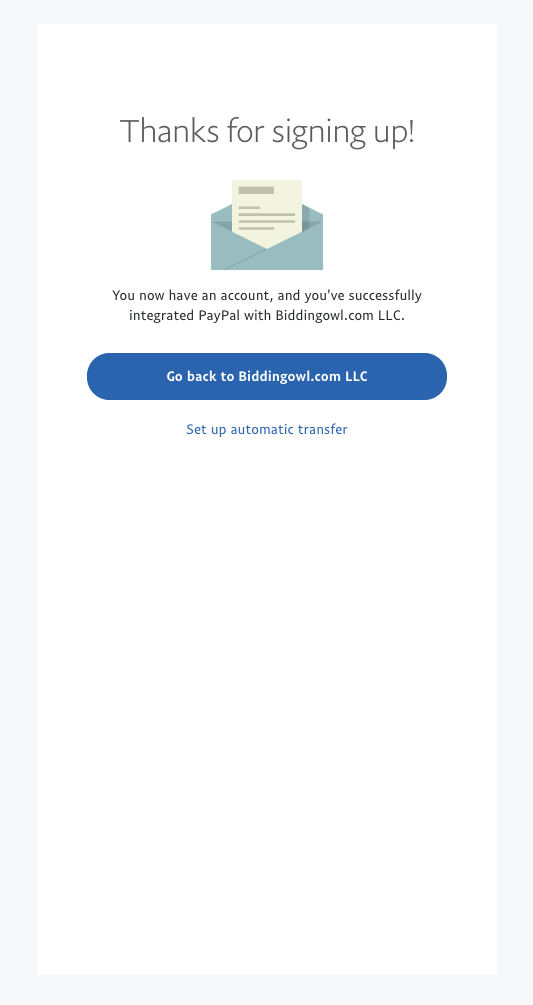
  • When you reach the last step, "Thanks for signing up," click the blue button Go back to BiddingOwl. Do not take the other option.

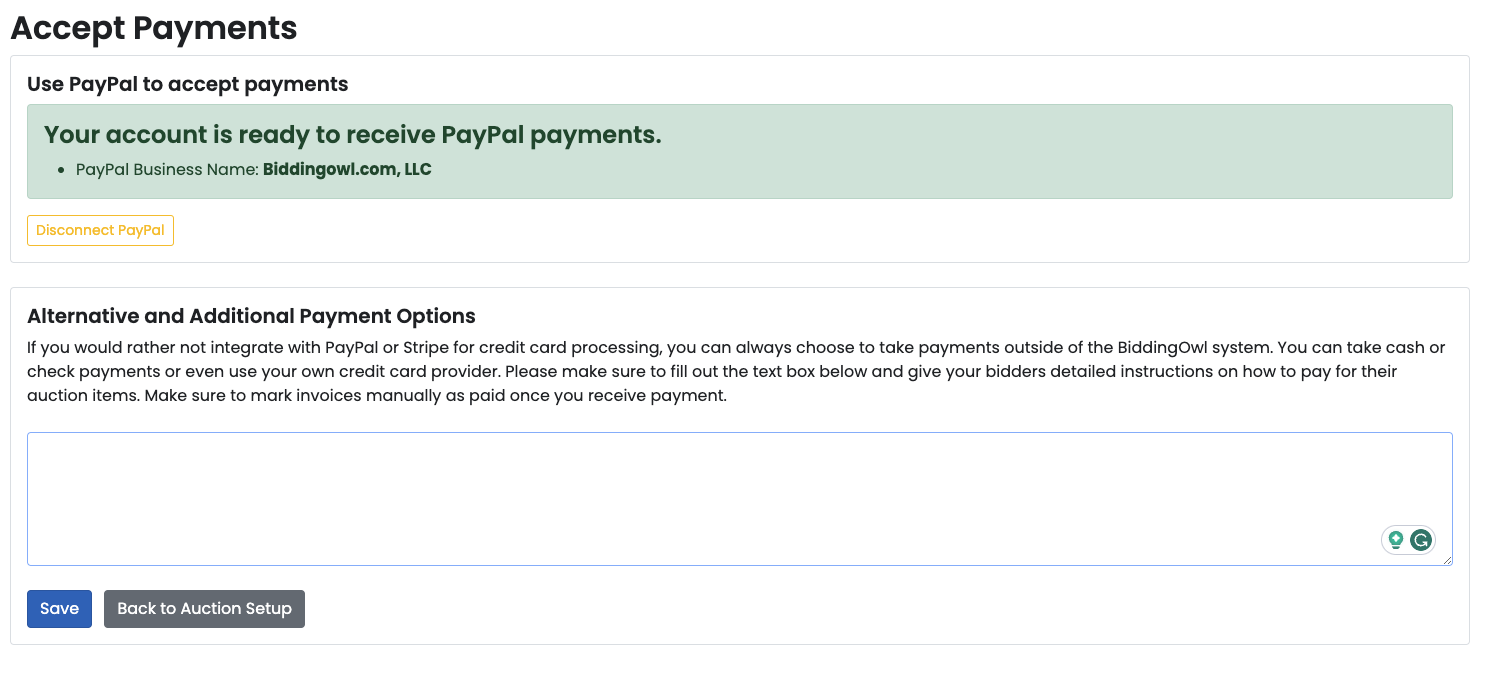
  • All set and connected 

We included some screenshots as references. 
 

ImageImageImageImageImageImage
Did you find this article helpful?
Previous

Set default auction preferences

Next

Do you still have questions? Call us at 989.448.2189 or email us at info@biddingowl.com