
How may we help you?

Find answers to all your BiddingOwl questions. Step-by-step guides and tips

Private Auction

FAQs

Private Auction

Create a private auction and set an access code

Last updated on 21 Oct, 2025

You can set your auction to private. This requires your supporters to have an access code to see your website. To set the auction to private, edit or add your auction by clicking on Dashboard "Set up your auction." Select "Private - Bidders require an access code" and set your code in the field to the right. 
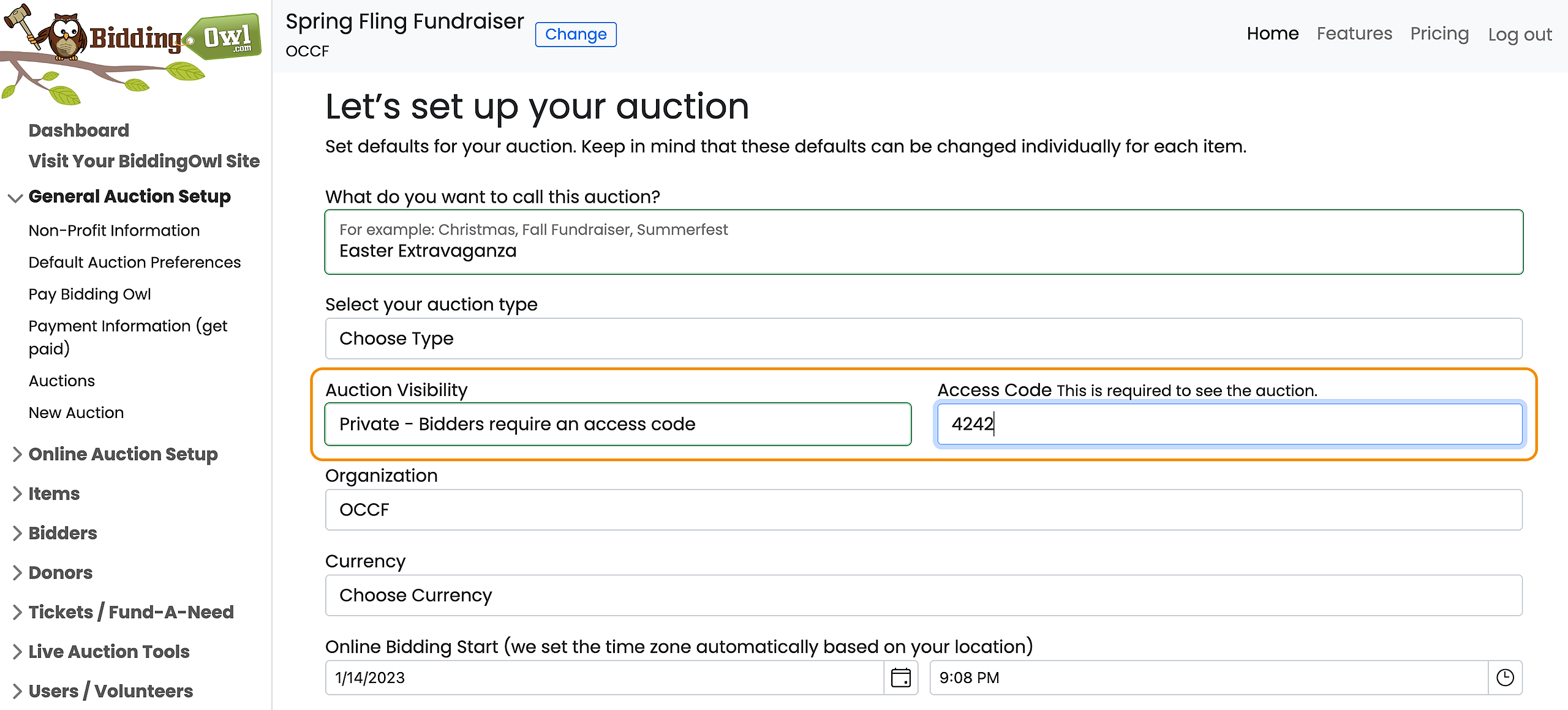
 

Image


Your supporters now need to enter the code when accessing your website on BiddingOwl. 

Did you find this article helpful?
Previous

How can I schedule a Call, Demo for me and my team, or Online Training for my Volunteers?

Next

Do you still have questions? Call us at 989.448.2189 or email us at info@biddingowl.com