How may we help you?

Find answers to all your BiddingOwl questions. Step-by-step guides and tips

Import Items

FAQs

Import Items

You can now import items

Last updated on 03 Feb, 2026

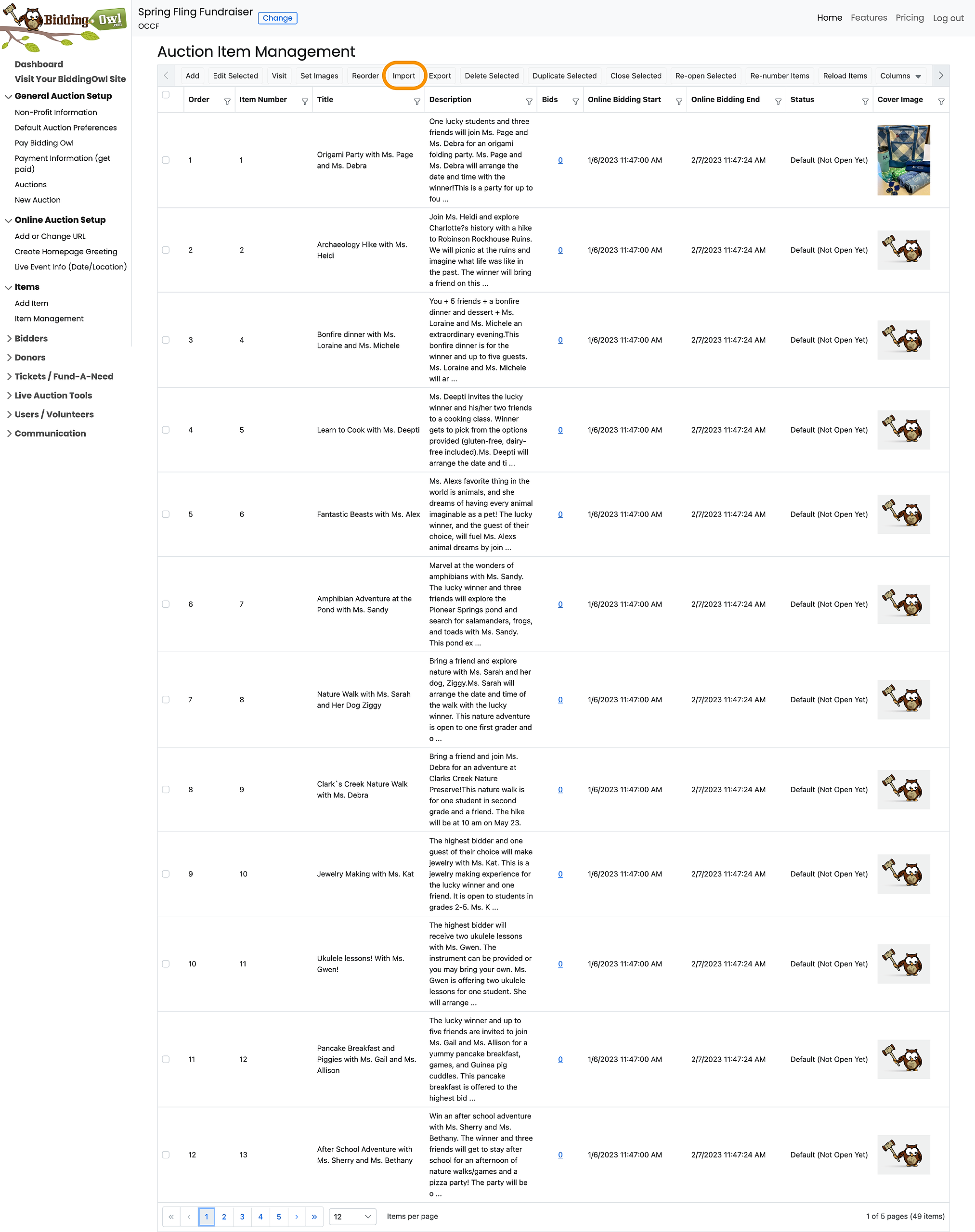
Importing items is simple. Go to Items > Item Management > Import Items

Just follow the on-screen prompts as indicated below.

  1. Click on Import in the toolbar

Image
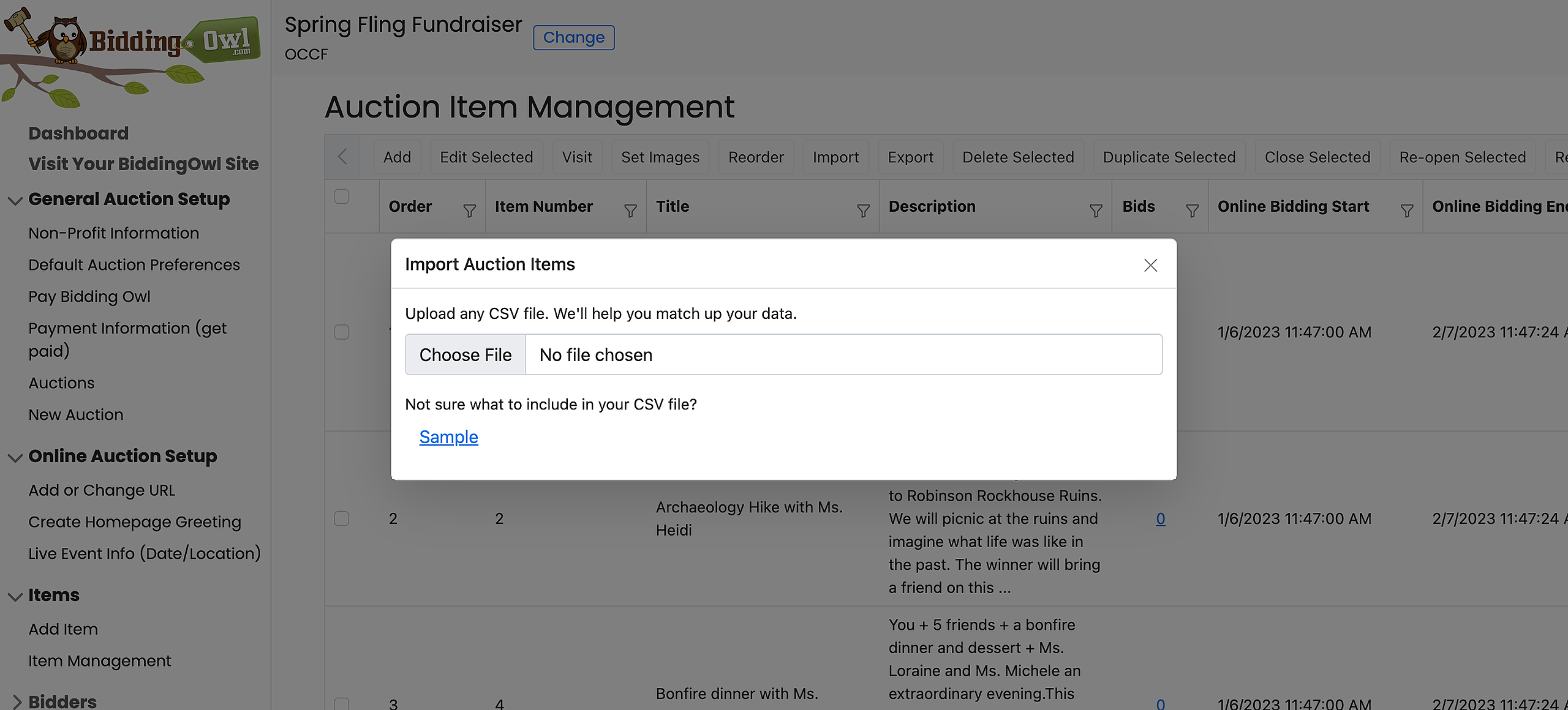
  1. Choose a file from your computer

Image
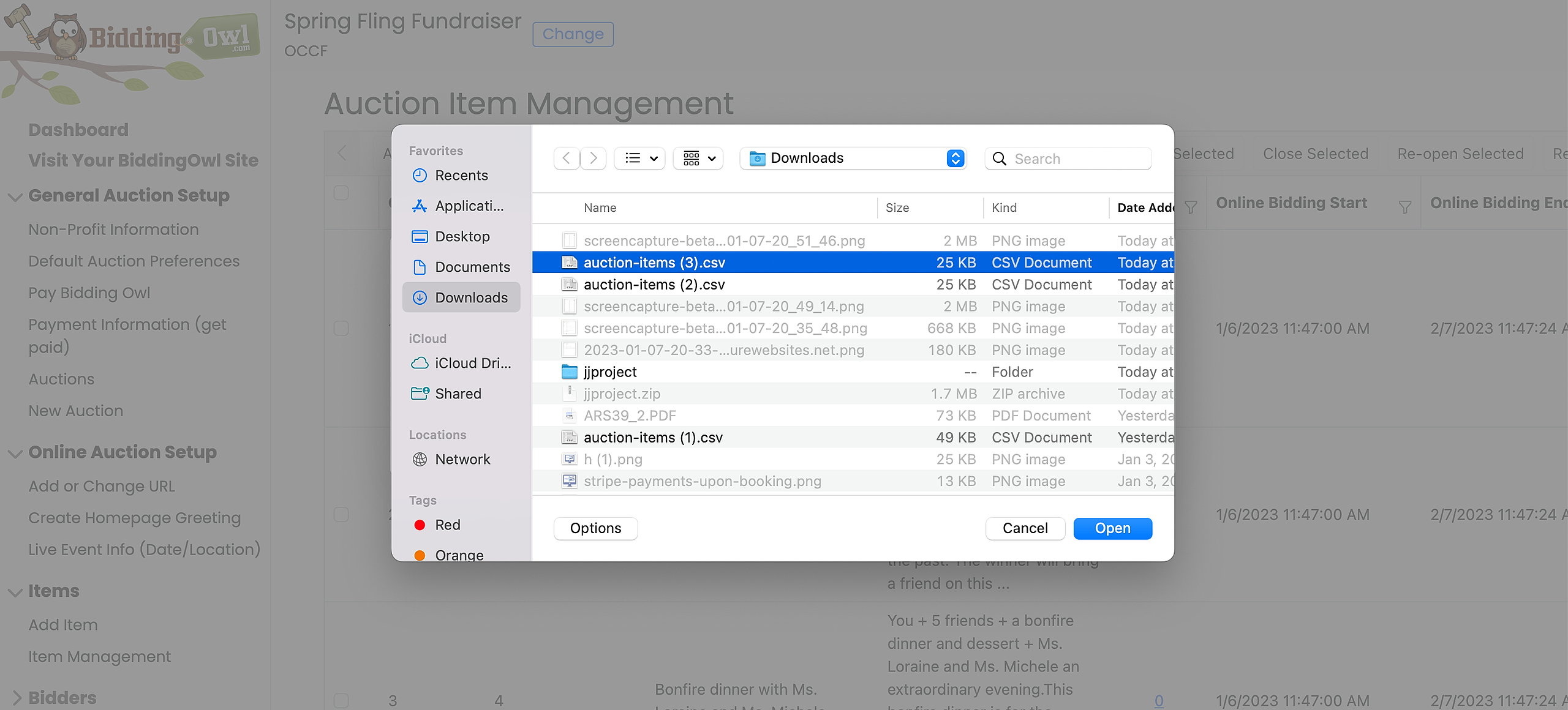
  1. Select the correct file and click "open"
Image
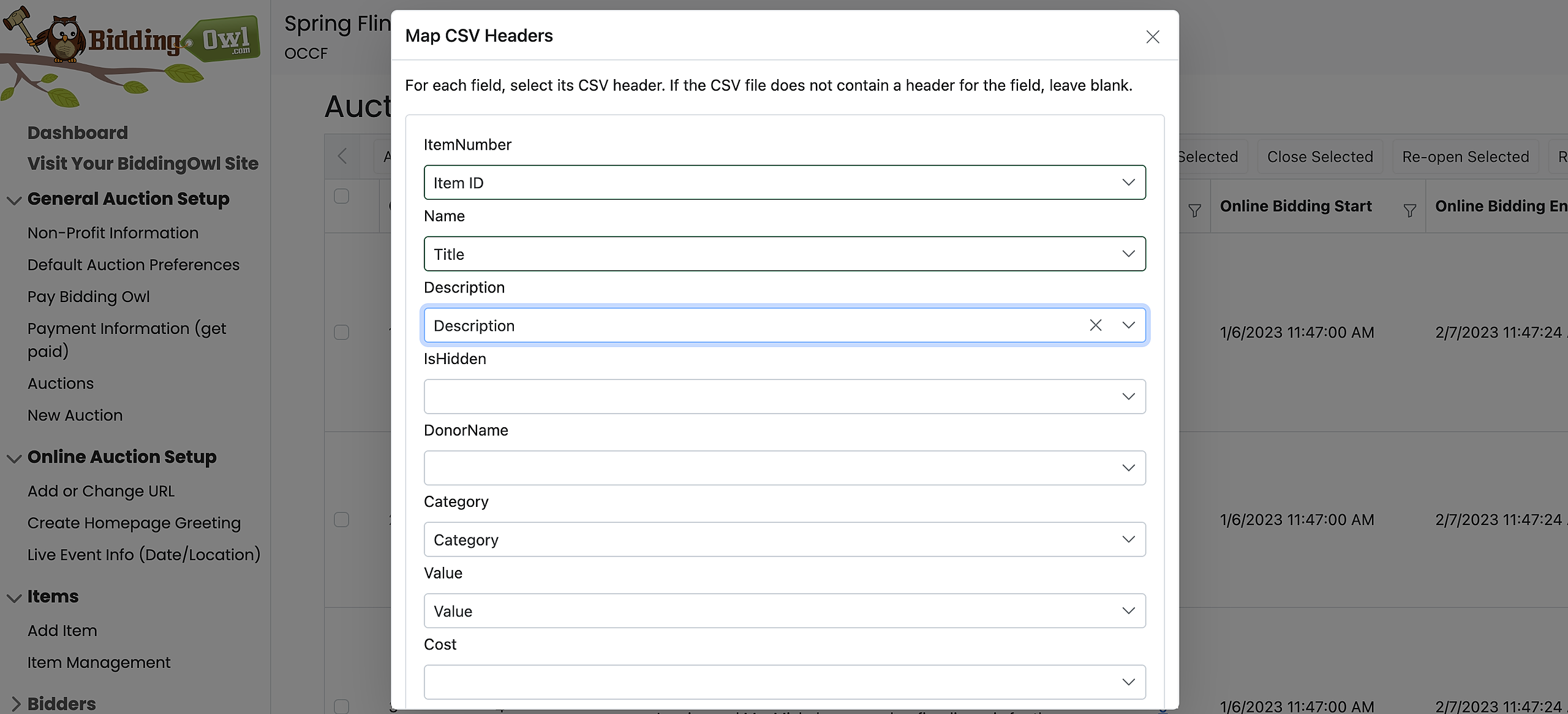
  1. Match your file columns with the headers provided
     

Image
  1. All set. Your items are now imported. 

Did you find this article helpful?
Previous

Sample Email Communications Tab

Next

Do you still have questions? Call us at 989.448.2189 or email us at info@biddingowl.com